


How to Use the WordPress Abilities API in WordPress – WordPress 6.9 shipped with something that almost nobody’s talking about yet, which is either exciting or the most on-brand thing WordPress has ever done.
The Abilities API is a new core feature that lets you register small, self-describing units of functionality, called abilities, that can be discovered and executed from PHP, the REST API, or JavaScript.
Think of it as WordPress finally agreeing to write a menu of what your site can do, in a format that machines can actually read.
AI agents, automation tools, and headless clients get to browse that menu and call individual items. No custom REST controllers. No tangled hook chains. Just clean, named, schema-typed actions.
TL;DR
Hide- The WordPress Abilities API (introduced in WP 6.9) provides a standardized, machine-readable registry of named actions that PHP, REST clients, AI agents, and JavaScript can all discover and call using the same interface.
- Abilities must be registered on the
wp_abilities_api_inithook, and categories must be registered first onwp_abilities_api_categories_init. Using the wrong hook silently discards your registration. - Each ability requires a namespaced name (
myplugin/verb-noun), acategoryslug,input_schemaandoutput_schemain JSON Schema format, anexecute_callback, and an optionalpermission_callbackthat gates access before the callback ever runs. - REST exposure is opt-in via
'show_in_rest' => truein themetaargument. WordPress then auto-generates discovery and execution endpoints under/wp-json/wp-abilities/v1/with no custom controller code needed. - The
execute()method handles permission checks and input validation automatically. If either fails, it returns aWP_Errorbefore touching your callback logic, so always wrap calls withis_wp_error(). - Descriptions on schema properties are not cosmetic. They are what AI agents and external tools use to understand what each field means, so a schema without descriptions defeats the main purpose of the API.
- For public plugins targeting broad WordPress installs, always guard registration code with
function_exists( 'wp_register_ability' )to fail gracefully on sites still running WordPress older than 6.9.
It is a genuinely useful addition, and this post covers the whole thing end to end: what abilities are, how to register them, how to design their schemas, how to run them from PHP and REST, and what you should never do with permissions unless you enjoy getting hacked.
What the WordPress Abilities API Actually Is
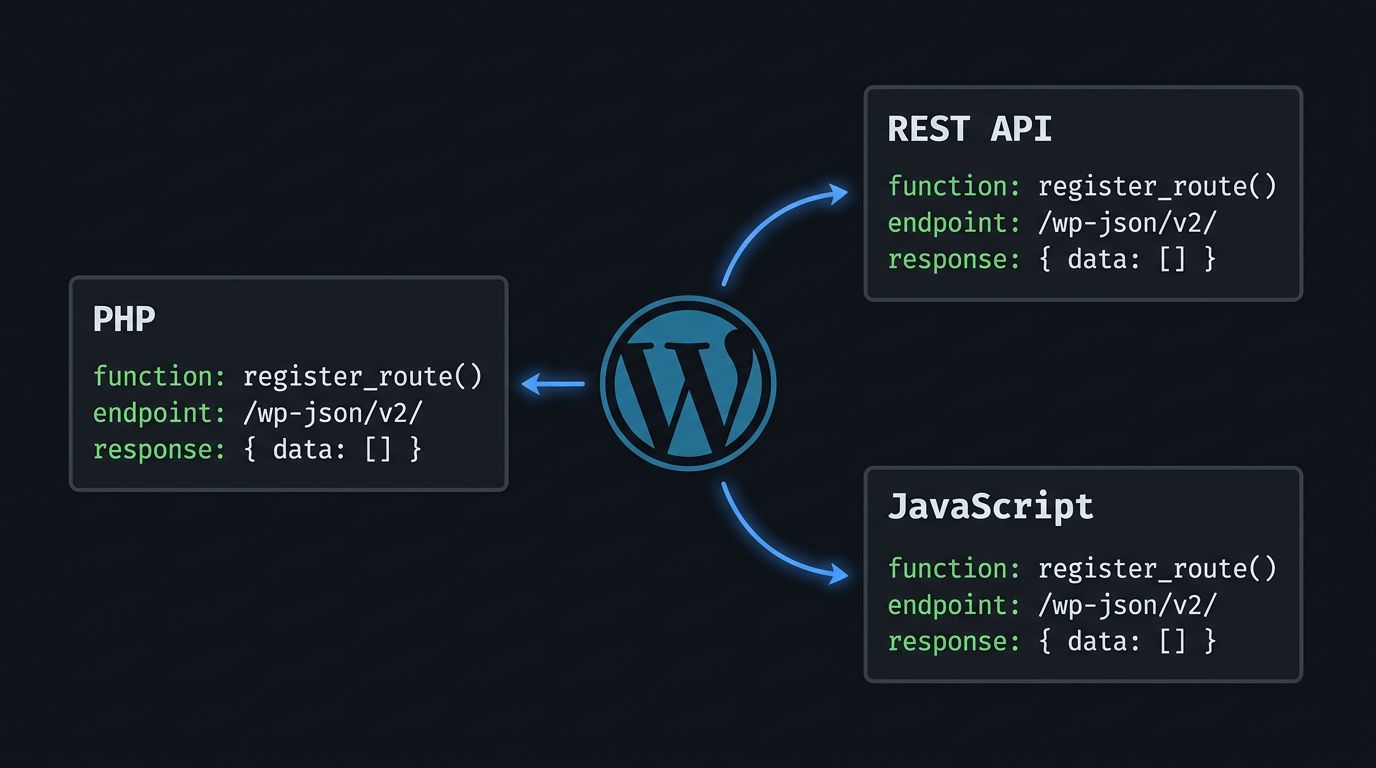
The short version: the Abilities API is a core registry introduced in WordPress 6.9 that stores named, self-describing units of functionality as WP_Ability objects. Each ability has a namespaced identifier, human-readable metadata, strict JSON Schema definitions for input and output, an execute callback that does the real work, and an optional permission callback that decides who is allowed to call it at all.
Two registry singletons back the system internally. WP_Abilities_Registry stores all registered abilities. WP_Abilities_Category_Registry manages categories.
You will never interact with those classes directly, which is fine, because WordPress provides wrapper functions like wp_register_ability(), wp_get_ability(), and wp_get_abilities() that handle everything.
The whole point is that you register once, and then anything from PHP to an AI agent can discover what your plugin can do without you writing yet another custom REST controller.
Why This Matters for AI and Automation
The timing is not a coincidence. AI agents and automation tools need a way to know what actions a WordPress site supports, with enough metadata to use them correctly.
The Abilities API gives them exactly that: a machine-readable registry of available actions, complete with typed schemas, descriptions, and permission gates.
If you have ever tried to wire up an LLM to a WordPress site and ended up with a confusing mess of REST endpoints and guesswork, this is the framework that should have existed a year ago.
For a sense of what AI-integrated WordPress plugins look like in practice, the Build AI Travel Tool Plugin for WordPress post covers a real working example that shows how these moving parts connect.
For regular plugin and theme development, it also solves the inter-plugin communication problem.
Instead of relying on action hooks and hoping another plugin is listening, you register an ability and any other plugin can call it by name with validated input and predictable output.
Requirements: WordPress 6.9+ or Not At All
The Abilities API requires WordPress 6.9 minimum. On anything older, wp_register_ability() and the WP_Ability class simply do not exist. Calling them will produce a fatal error, which is the traditional WordPress way of telling you something is wrong.
For plugins targeting a broad install base, the recommended approach is feature detection:
if ( ! function_exists( 'wp_register_ability' ) ) {
    return; // WordPress < 6.9, quietly bail.
}
This treats the Abilities API as a progressive enhancement: use it when available, fall back to your existing REST endpoints or hooks otherwise. If you are building for a controlled environment where you know the WP version, skip the guard and move on.
Step 1: Register Ability Categories
Every ability must belong to a category. Categories are organizational containers that give discovery tools a way to group and filter abilities by function. You register them on the wp_abilities_api_categories_init action using wp_register_ability_category().
add_action( 'wp_abilities_api_categories_init', 'myplugin_register_ability_categories' );

function myplugin_register_ability_categories() {
    wp_register_ability_category(
        'content-tools',
        array(
            'label'       => __( 'Content Tools', 'myplugin' ),
            'description' => __( 'Abilities for reading and writing post content.', 'myplugin' ),
        )
    );
}
Category slugs are lowercase, unique, and typically dash-separated. The slug you register here is what abilities will reference in their category argument.
Register categories before abilities, not after, because referencing a category that does not exist yet will cause the registration to fail.
Common category patterns you will see and want to use:
site-informationfor read-only metadata about the site itselfcontent-managementfor actions that create or modify posts, terms, and mediauser-managementfor anything touching user recordssite-utilitiesfor administrative and configuration tasks
Step 2: Register Abilities on the Right Hook
This is how you can do it:
The Hook and Naming Rules
Abilities must be registered on the wp_abilities_api_init action. Using init, plugins_loaded, or any other hook will trigger a _doing_it_wrong() notice and the registration will be silently discarded. WordPress is serious about this.
Ability names follow a namespace/verb-noun pattern using only lowercase letters, digits, dashes, and forward slashes. Your namespace should be unique to your plugin or theme to avoid collisions with other registered abilities.
myplugin/get-recent-posts
myplugin/publish-draft
myplugin/delete-post-by-id
The full skeleton for registering an ability:
add_action( 'wp_abilities_api_init', 'myplugin_register_abilities' );

function myplugin_register_abilities() {
    if ( ! function_exists( 'wp_register_ability' ) ) {
        return;
    }

    wp_register_ability(
        'myplugin/get-recent-posts',
        array(
            'label'               => __( 'Get Recent Posts', 'myplugin' ),
            'description'         => __( 'Returns a list of recently published posts.', 'myplugin' ),
            'category'            => 'content-tools',
            'input_schema'        => array( /* JSON Schema */ ),
            'output_schema'       => array( /* JSON Schema */ ),
            'execute_callback'    => 'myplugin_get_recent_posts_execute',
            'permission_callback' => 'myplugin_get_recent_posts_permissions',
            'meta'                => array(
                'show_in_rest' => true,
            ),
        )
    );
}
You never instantiate WP_Ability yourself. wp_register_ability() does that internally and hands the result to the registry.
A Complete Registration Example
Here is a full, working example. This ability returns a list of recently published posts, filtered by post type, with no side effects and public read access.
// Register category
add_action( 'wp_abilities_api_categories_init', 'myplugin_register_categories' );

function myplugin_register_categories() {
    wp_register_ability_category(
        'content-tools',
        array(
            'label'       => __( 'Content Tools', 'myplugin' ),
            'description' => __( 'Abilities for reading and writing post content.', 'myplugin' ),
        )
    );
}

// Register ability
add_action( 'wp_abilities_api_init', 'myplugin_register_abilities' );

function myplugin_register_abilities() {
    if ( ! function_exists( 'wp_register_ability' ) ) {
        return;
    }

    wp_register_ability(
        'myplugin/get-recent-posts',
        array(
            'label'       => __( 'Get Recent Posts', 'myplugin' ),
            'description' => __( 'Returns a list of recently published posts filtered by post type and limit.', 'myplugin' ),
            'category'    => 'content-tools',
            'input_schema' => array(
                'type'       => 'object',
                'properties' => array(
                    'post_type' => array(
                        'type'        => 'string',
                        'description' => __( 'The post type to query. Defaults to "post".', 'myplugin' ),
                    ),
                    'limit' => array(
                        'type'        => 'integer',
                        'description' => __( 'Maximum number of posts to return. Defaults to 5.', 'myplugin' ),
                    ),
                ),
                'additionalProperties' => false,
            ),
            'output_schema' => array(
                'type'  => 'array',
                'items' => array(
                    'type'       => 'object',
                    'properties' => array(
                        'id' => array(
                            'type'        => 'integer',
                            'description' => __( 'Post ID.', 'myplugin' ),
                        ),
                        'title' => array(
                            'type'        => 'string',
                            'description' => __( 'Post title.', 'myplugin' ),
                        ),
                        'permalink' => array(
                            'type'        => 'string',
                            'description' => __( 'Full URL to the post.', 'myplugin' ),
                        ),
                        'published_at' => array(
                            'type'        => 'string',
                            'description' => __( 'Publication date in ISO 8601 format.', 'myplugin' ),
                        ),
                    ),
                ),
            ),
            'execute_callback'    => 'myplugin_get_recent_posts_execute',
            'permission_callback' => '__return_true',
            'meta'                => array(
                'show_in_rest' => true,
            ),
        )
    );
}

function myplugin_get_recent_posts_execute( array $input = array() ): array {
    $post_type = $input['post_type'] ?? 'post';
    $limit     = $input['limit'] ?? 5;

    $posts = get_posts( array(
        'post_type'      => sanitize_text_field( $post_type ),
        'posts_per_page' => absint( $limit ),
        'post_status'    => 'publish',
    ) );

    $result = array();
    foreach ( $posts as $post ) {
        $result[] = array(
            'id'           => $post->ID,
            'title'        => get_the_title( $post ),
            'permalink'    => get_permalink( $post ),
            'published_at' => get_the_date( 'c', $post ),
        );
    }

    return $result;
}
This covers category registration, a namespaced ability name, both input and output schemas, and REST exposure via show_in_rest.
Step 3: Designing Input and Output Schemas
This is where the API earns its keep, and also where most people will cut corners and regret it later.
Schemas are JSON Schema definitions that describe exactly what your ability expects as input and what it returns as output.
WordPress validates input against the input_schema before your execute callback ever runs, so if the payload is wrong, your code never touches it.
Input Schema Design
Input schemas use standard JSON Schema properties: type, properties, items, required, and description. The description field on each property is not optional trivia. It is what AI agents and external tools use to know what that field means.
Here is an input schema for an ability that creates a draft post:
'input_schema' => array(
    'type'       => 'object',
    'properties' => array(
        'title' => array(
            'type'        => 'string',
            'description' => __( 'The title for the new draft post.', 'myplugin' ),
        ),
        'content' => array(
            'type'        => 'string',
            'description' => __( 'The body content of the post in HTML or plain text.', 'myplugin' ),
        ),
        'category_ids' => array(
            'type'        => 'array',
            'items'       => array( 'type' => 'integer' ),
            'description' => __( 'Array of category term IDs to assign.', 'myplugin' ),
        ),
    ),
    'required'             => array( 'title' ),
    'additionalProperties' => false,
),
A few things worth noting: required lists only the fields that must be present. Optional fields without defaults need to be documented clearly in their description.
Use additionalProperties: false when you want to reject payloads that include undeclared fields, which is a good idea for anything exposed to REST.
Output Schema Design
Output schemas follow the same JSON Schema syntax. Be specific. Vague output schemas like 'type' => 'object' with no properties tell external tools nothing useful and undermine the entire point of the API.
'output_schema' => array(
    'type'       => 'object',
    'properties' => array(
        'post_id' => array(
            'type'        => 'integer',
            'description' => __( 'The ID of the newly created draft post.', 'myplugin' ),
        ),
        'edit_url' => array(
            'type'        => 'string',
            'description' => __( 'Admin edit URL for the new post.', 'myplugin' ),
        ),
        'status' => array(
            'type'        => 'string',
            'description' => __( 'The post status after creation, typically "draft".', 'myplugin' ),
        ),
    ),
),
If your callback returns something that does not match output_schema, core can surface a validation error.
Whether that results in a fatal or a WP_Error depends on implementation details, but the point is: keep your schema and your callback in sync, or debugging sessions will become your new hobby.
Step 4: Permission and Execute Callbacks
The Permission Callback
The permission_callback runs before your execute callback and gates access to the ability. It receives the input payload and returns either true (allow), false (deny), or a WP_Error with details. If it returns anything falsy, the ability will not execute.
Three patterns cover most real-world cases:
Public read-only access. For abilities that return non-sensitive data and have no side effects:
'permission_callback' => '__return_true',
Admin-only access. For abilities that change settings, configurations, or anything site-wide:
'permission_callback' => function () {
    return current_user_can( 'manage_options' );
},
Input-aware access. For abilities where permission depends on what the caller is trying to do:
'permission_callback' => function ( array $input ) {
    $post_id = $input['post_id'] ?? 0;
    return current_user_can( 'edit_post', absint( $post_id ) );
},
The input-aware pattern is underused and often the most correct approach for content management abilities. Using a flat manage_options check on an ability that edits a single post is technically wrong, even if it works.
The Execute Callback
The execute callback is your actual logic. It receives the validated input (already checked against input_schema) and must return something that matches output_schema. If it returns a WP_Error, that error propagates back through execute() to the caller.
function myplugin_create_draft_execute( array $input ): array {
    $post_id = wp_insert_post( array(
        'post_title'   => sanitize_text_field( $input['title'] ),
        'post_content' => wp_kses_post( $input['content'] ?? '' ),
        'post_status'  => 'draft',
        'post_category' => array_map( 'absint', $input['category_ids'] ?? array() ),
    ), true );

    if ( is_wp_error( $post_id ) ) {
        return new WP_Error(
            'create_draft_failed',
            $post_id->get_error_message()
        );
    }

    return array(
        'post_id'  => $post_id,
        'edit_url' => get_edit_post_link( $post_id, 'raw' ),
        'status'   => 'draft',
    );
}
Input validation has already run before this function is called.
That does not mean you skip sanitization. sanitize_text_field() and wp_kses_post() are still your responsibility because schema validation confirms types and required fields, not that the string is safe to store.
Step 5: Executing Abilities from PHP
Once registered, you call an ability from PHP by retrieving it from the registry and calling execute(). The method handles permission checks and input validation internally, then runs your callback.
Getting and Running an Ability
$ability = wp_get_ability( 'myplugin/get-recent-posts' );

if ( $ability ) {
    $result = $ability->execute( array(
        'post_type' => 'post',
        'limit'     => 10,
    ) );
}
Always check that wp_get_ability() returned something before calling execute(). If the ability was never registered or was unregistered by another plugin, the function returns null and calling execute() on null will not end well.
Handling WP_Error Responses
execute() returns either the output conforming to output_schema or a WP_Error. Handle both:
$ability = wp_get_ability( 'myplugin/create-draft' );

if ( ! $ability ) {
    // Ability not available, handle gracefully
    return;
}

$result = $ability->execute( array(
    'title'   => 'My Draft Post',
    'content' => '<p>Content goes here.</p>',
) );

if ( is_wp_error( $result ) ) {
    error_log( 'Ability failed: ' . $result->get_error_message() );
    return;
}

// $result is now guaranteed to match output_schema
echo 'Draft created with ID: ' . $result['post_id'];
The WP_Error check is not optional here. Missing required fields, a failed permission check, or an error returned from your execute callback all come back as WP_Error. If you skip is_wp_error() and try to use the return value directly, the bugs will be creative.
Discovering Registered Abilities in PHP
The API provides introspection functions useful for debugging, admin dashboards, or building your own discovery UI:
// Check if a specific ability exists
if ( wp_has_ability( 'myplugin/get-recent-posts' ) ) {
    $ability = wp_get_ability( 'myplugin/get-recent-posts' );
    echo esc_html( $ability->get_label() );
    echo esc_html( $ability->get_description() );
}

// List all registered abilities
$all = wp_get_abilities();

foreach ( $all as $ability ) {
    echo esc_html( $ability->get_name() );
}
wp_get_abilities() is especially useful in dev environments to confirm what has actually been registered versus what you think you registered. Half of all registration debugging sessions end here.
Step 6: Executing Abilities via REST API
Enabling REST Exposure
Abilities are not automatically available over HTTP. You opt in by including 'show_in_rest' => true in the meta argument during registration:
'meta' => array(
    'show_in_rest' => true,
),
With that set, WordPress automatically creates REST endpoints under the wp-abilities/v1 namespace. No controller classes, no register_rest_route() calls, no custom permission callbacks on the route itself. WordPress handles all of it using the registration arguments you already defined.
Available REST Endpoints
When show_in_rest is enabled for at least one ability, the following routes are available.
If you have worked with the WordPress REST API before, for example when getting featured image URLs from the WordPress REST API, the general conventions here will look familiar:
| Method | Route | Purpose |
|---|---|---|
| GET | /wp-json/wp-abilities/v1/categories |
List all registered categories |
| GET | /wp-json/wp-abilities/v1/categories/{slug} |
Get a single category’s metadata |
| GET | /wp-json/wp-abilities/v1/abilities |
List all REST-exposed abilities |
| GET | /wp-json/wp-abilities/v1/abilities/{name} |
Get a single ability’s metadata and schema |
| POST | /wp-json/wp-abilities/v1/{namespace}/{name} |
Execute an ability |
The discovery endpoints (GET) are particularly useful for external tools and AI agents that need to know what a site can do before trying to do it.
Calling an Ability via HTTP
To execute an ability over REST, send a POST request to its endpoint with a JSON body matching the input_schema and appropriate authentication:
curl -X POST \
  -H "Content-Type: application/json" \
  -H "Authorization: Bearer YOUR_TOKEN" \
  -d '{"post_type":"post","limit":5}' \
  https://example.com/wp-json/wp-abilities/v1/myplugin/get-recent-posts
If the input fails schema validation, the endpoint returns a WP_Error as JSON, same format as any other WordPress REST error. If the permission callback fails, you get a 403. Nothing surprising.
Step 7: Executing Abilities from JavaScript
Using fetch() Against the REST Endpoints
Client-side JavaScript can call the same REST endpoints directly. In a block editor context, use the nonce from window.wpApiSettings:
async function getRecentPosts( postType = 'post', limit = 5 ) {
    const response = await fetch(
        '/wp-json/wp-abilities/v1/myplugin/get-recent-posts',
        {
            method: 'POST',
            headers: {
                'Content-Type': 'application/json',
                'X-WP-Nonce': window.wpApiSettings.nonce,
            },
            body: JSON.stringify( { post_type: postType, limit } ),
        }
    );

    if ( ! response.ok ) {
        throw new Error( `Request failed: ${ response.status }` );
    }

    return response.json();
}
This is the approach to use for block editor integrations, custom admin pages, or any front-end context where you already have a nonce.
Using the @wordpress/abilities Package
For headless or Node.js environments, there is a dedicated JavaScript client library:
npm i @wordpress/abilities
The library provides getAbility and executeAbility helpers that abstract away route construction:
import { getAbility, executeAbility } from '@wordpress/abilities';

async function fetchDraftList() {
    // Discover the ability's metadata first
    const ability = await getAbility( 'myplugin/get-recent-posts' );
    console.log( ability.description );

    // Execute with input
    const posts = await executeAbility( 'myplugin/get-recent-posts', {
        post_type: 'post',
        limit: 10,
    } );

    console.log( posts );
}
The exact shape of getAbility‘s return value and the function signatures may shift between package versions. Check the package docs for the version you install rather than trusting six-month-old blog posts, including this one.
Managing and Unregistering Abilities
The registry is not write-once. Plugins can unregister abilities, check existence, and remove categories at any point. This is useful for plugins that enable or disable modules dynamically, or for clean plugin uninstall routines.
Full reference of management functions:
// Ability management
wp_unregister_ability( 'myplugin/get-recent-posts' );
wp_has_ability( 'myplugin/get-recent-posts' ); // Returns bool
wp_get_ability( 'myplugin/get-recent-posts' );  // Returns WP_Ability|null
wp_get_abilities();                              // Returns array of WP_Ability

// Category management
wp_unregister_ability_category( 'content-tools' );
wp_has_ability_category( 'content-tools' );     // Returns bool
wp_get_ability_category( 'content-tools' );     // Returns WP_Ability_Category|null
wp_get_ability_categories();                    // Returns array of WP_Ability_Category
Note that unregistering a category that still has abilities referencing it will leave orphaned abilities. If you are doing teardown, unregister abilities first, then their categories.
Best Practices Worth Actually Following
Naming and Granularity
Abilities should be small, single-responsibility operations. One ability, one job. The temptation to register myplugin/do-everything with twenty input fields is understandable and wrong. Smaller abilities are easier to discover, easier to test, and easier to compose.
Use clear, action-oriented naming. myplugin/create-draft, myplugin/get-tag-list, myplugin/delete-attachment. Not myplugin/handle-stuff. The name should tell an external tool exactly what it is about to do without needing to read the description.
Group related abilities into meaningful categories. content-management, site-utilities, media-tools. Discovery tools browse by category before browsing by name.
Schema Design for AI Readability
Since the whole premise of the Abilities API is machine readability, skimping on schema descriptions is the wrong call.
Every input and output property should have a description that explains what the field means, not just what type it is. 'type' => 'string' tells a tool it will receive a string. 'description' => 'ISO 8601 formatted date when the post was last modified' tells a tool what that string represents.
Use required only for genuinely mandatory fields.
Document optional fields and their defaults in their description. Use additionalProperties: false when you want strict input, especially for REST-exposed abilities.
Security: Do Not Mess This Up
Permission callbacks are not optional for anything with side effects. Using __return_true on an ability that creates posts, modifies settings, or sends emails is a meaningful security vulnerability. External tools, AI agents, and unauthenticated REST calls will happily call REST-exposed abilities.
Every show_in_rest: true ability is potentially callable by anyone who knows the endpoint, subject only to the permission callback.
This is the same reason you always check capabilities in custom REST routes, and the Summarize with AI Plugin post shows permission handling done correctly in a real WordPress plugin context.
The rule is simple: read-only, non-sensitive abilities can use __return_true.
Anything else needs a real capability check. For content operations, that usually means edit_posts, edit_post, manage_options, or a custom capability. For user data, it means checking the current user’s role and the specific resource being accessed.
Be extra conservative with REST exposure. Not every ability needs show_in_rest. Only expose over HTTP what you would also expose via a custom REST route with full authentication.
Testing and Debugging
Unit test your execute callbacks directly with both valid and invalid inputs. Confirm that invalid input returns a WP_Error, not a PHP notice.
Use wp_get_abilities() in a dev environment to confirm registration went through correctly. Hit the REST discovery endpoints to verify schemas are exposed as expected.
For integration testing, call the REST execution endpoint with curl or a test client using both passing and failing inputs.
Confirm 200 responses for valid inputs, 400 for schema failures, and 403 for permission failures. If any of those return 200 when they should not, your permission callback has a bug.
If an ability never appears in wp_get_abilities() after registration, the most likely cause is either the wrong hook (init instead of wp_abilities_api_init) or a missing category. Check both before reaching for anything more complicated.
Frequently Asked Questions (FAQs)
Does the Abilities API replace the WordPress REST API?
No. The Abilities API builds on top of it. When you enable show_in_rest, WordPress creates REST routes using its existing REST infrastructure. You still get all the normal REST features like authentication and schema validation. What the Abilities API adds is a standardized registry, automatic route generation, and a discovery layer so external tools can introspect what is available without hardcoded endpoint lists.
Can abilities from one plugin call abilities registered by another plugin?
Yes, and that is one of the more interesting use cases. As long as you know the ability name and have the required permissions, wp_get_ability() returns any registered ability regardless of which plugin registered it. This enables genuine inter-plugin communication with typed contracts instead of action hook conventions.
What happens if my execute callback returns data that does not match output_schema?
WordPress validates the return value against output_schema and may return a WP_Error if validation fails. Keep your schema and your callback return value in sync. The easiest way to catch mismatches early is to run integration tests against the REST endpoint and confirm the response shape matches what you declared.